Resizing image in WordPress Posts / Pages
If an image has been placed in a page or post and needs to be resized you can resize in the image settings.
In the page edit view of your page or blog post:
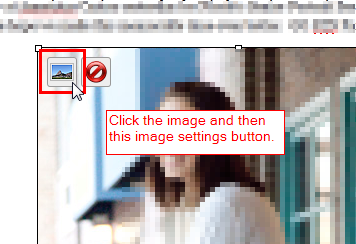
- Click on the image you want to resize
- Click the image icon on the image
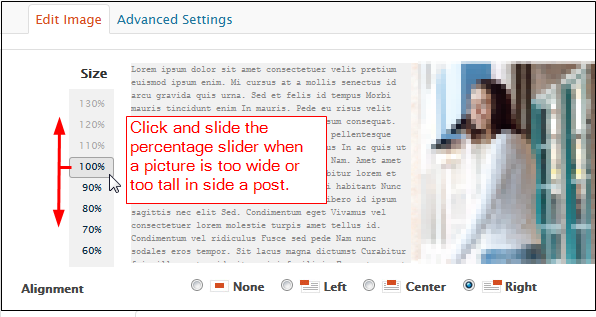
- In the popup window, you should be in the Edit Image tab
- Mouse over the percentage slider and slide it up or down
- The proportion of the image as placed will be retained to avoid improper stretching
- Click the update button at the bottom of the Edit Image popup window
- Click the Update button to save the changes on the blog post.