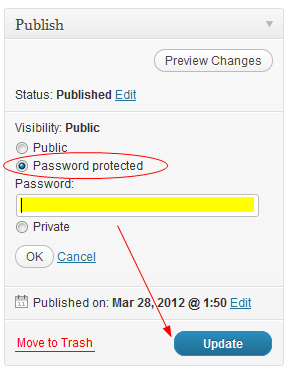
Password Protecting WordPress Pages
You can password protect a single page with its own password. Multiple pages can have all different passwords. When creating a page, the password protect feature is in the Publish panel on the top right of the page editing screen.
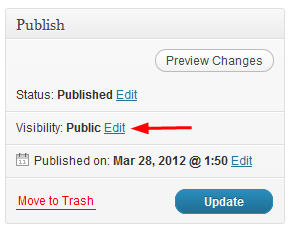
- Locate the Publish panel
- Next to Visibility: Public, click the Edit button
- Click the radio button for Password Protected
- Type in your desired password
- Click the update button
When a visitor goes to the page, they will be required to enter the password. No username is required here.
Note: If you're logged into the admin page, you probably won't be prompted for the page password, so to test your password, be sure to log out of the dashboard and try the page.